 Job Tracker
The job application tracker for Mac.
Track every application, contact, interview, and follow-up in one calm Mac app. Know what to do next in your job search, and keep your data on your own Mac.
 $4.99, one-time purchase · No account needed · macOS 26.5 or later
Published · Updated
What does Job Tracker do?
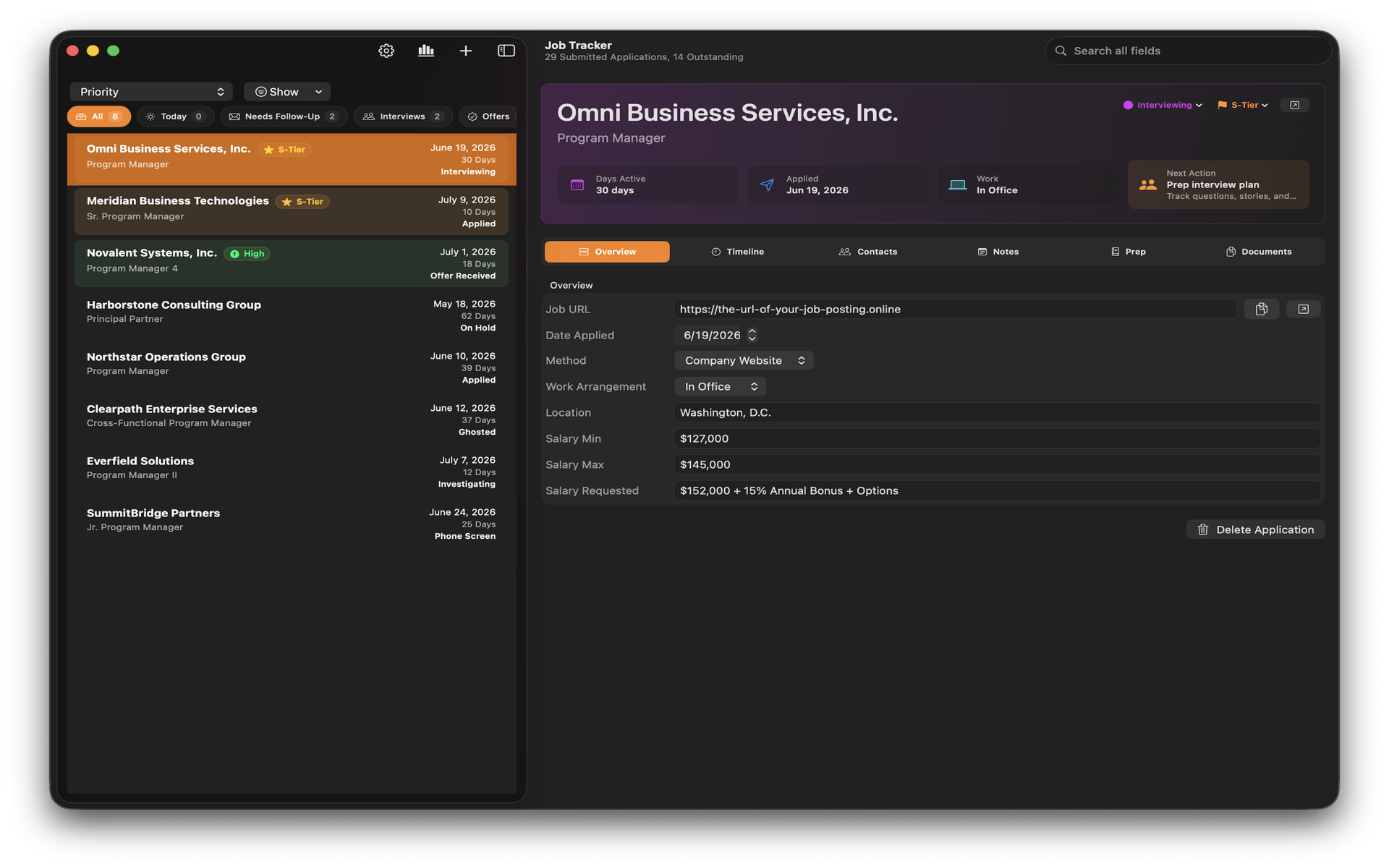
Job Tracker is built for the way a real search goes: dozens of roles, a handful of conversations, and a few that matter most. Here is what it keeps track of for you.
-
Every application, at a glance
See each role’s priority, interview status, and next action in one overview, so the jobs you care about never slip.
-
Follow-ups that surface themselves
Smart follow-up views show who you owe a reply today. No more digging through email to remember where things stand.
-
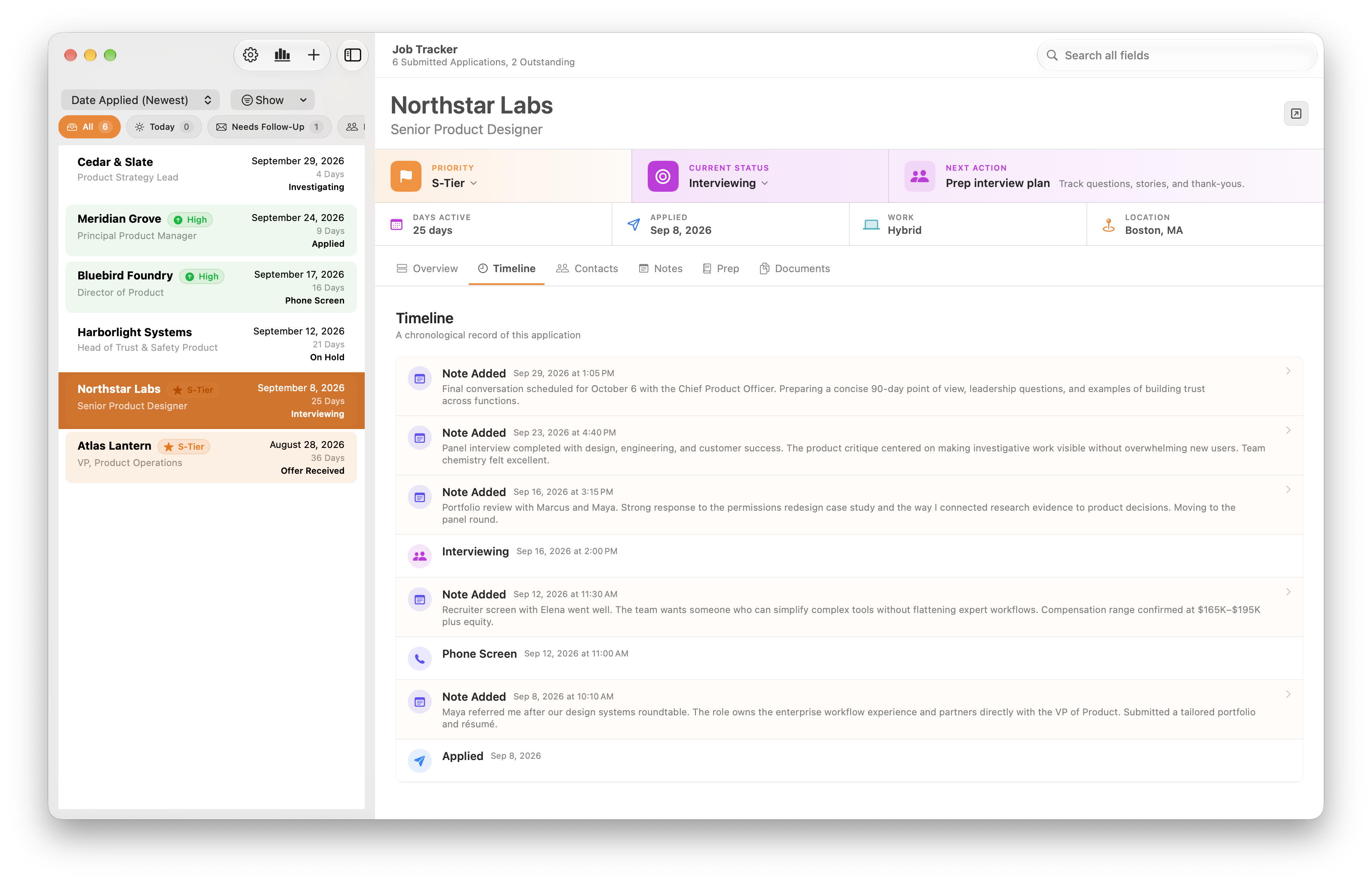
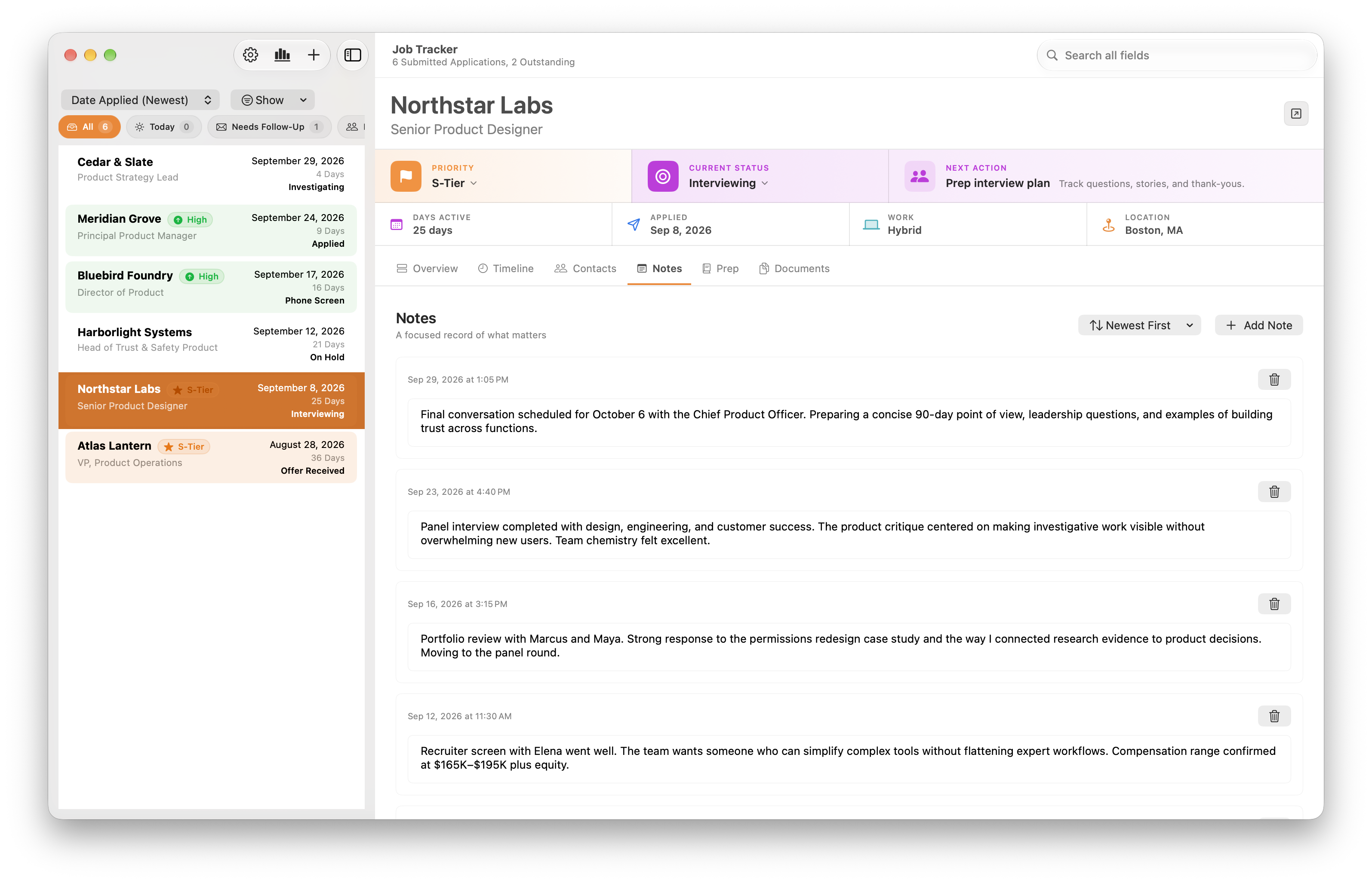
A timeline for each role
Notes, interviews, and milestones line up in order, so you can walk into the next conversation knowing the whole story.
-
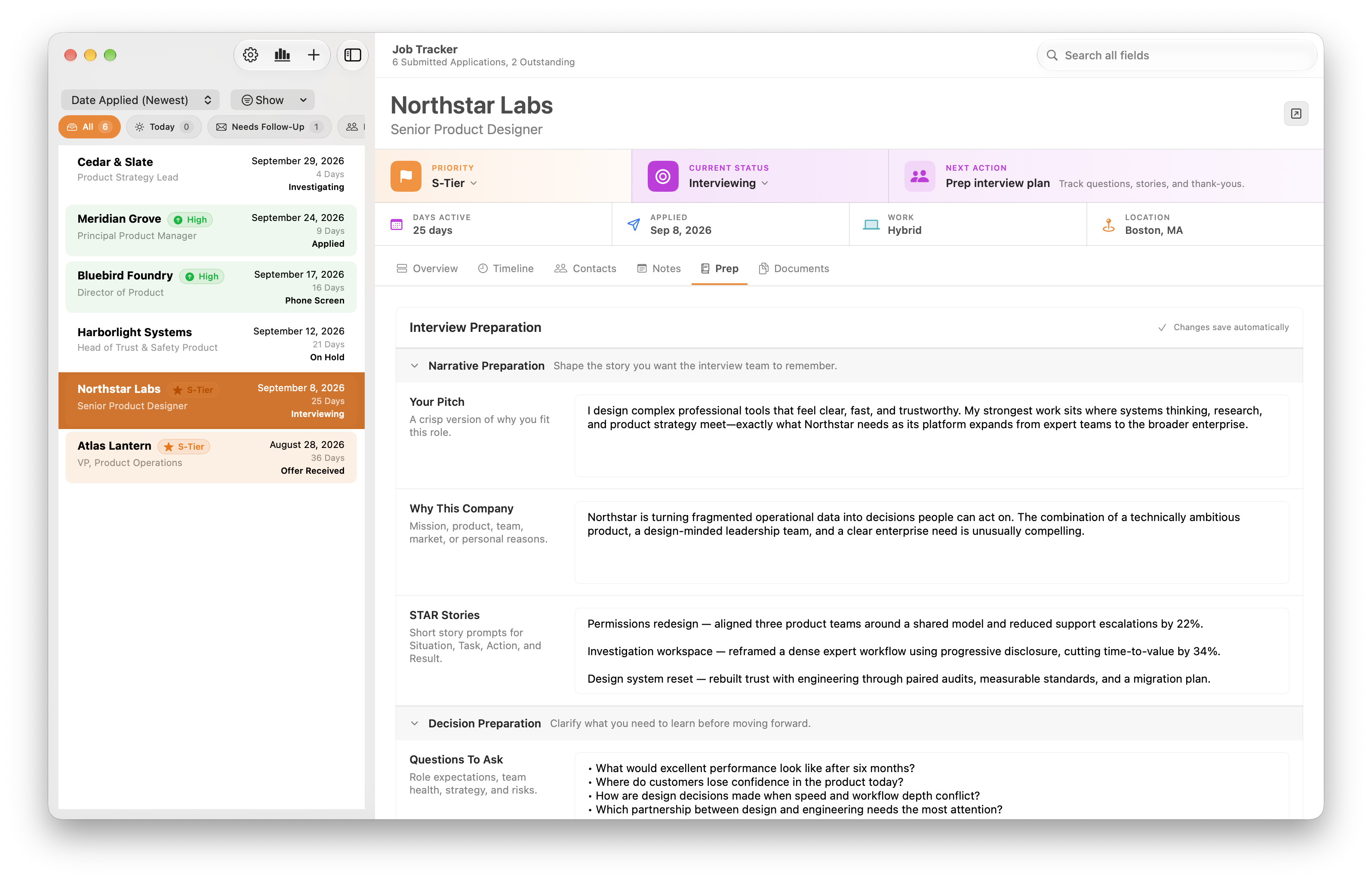
Interview prep that travels with the job
Keep your pitch, STAR stories, and questions to ask next to the role and the people you are meeting.
-
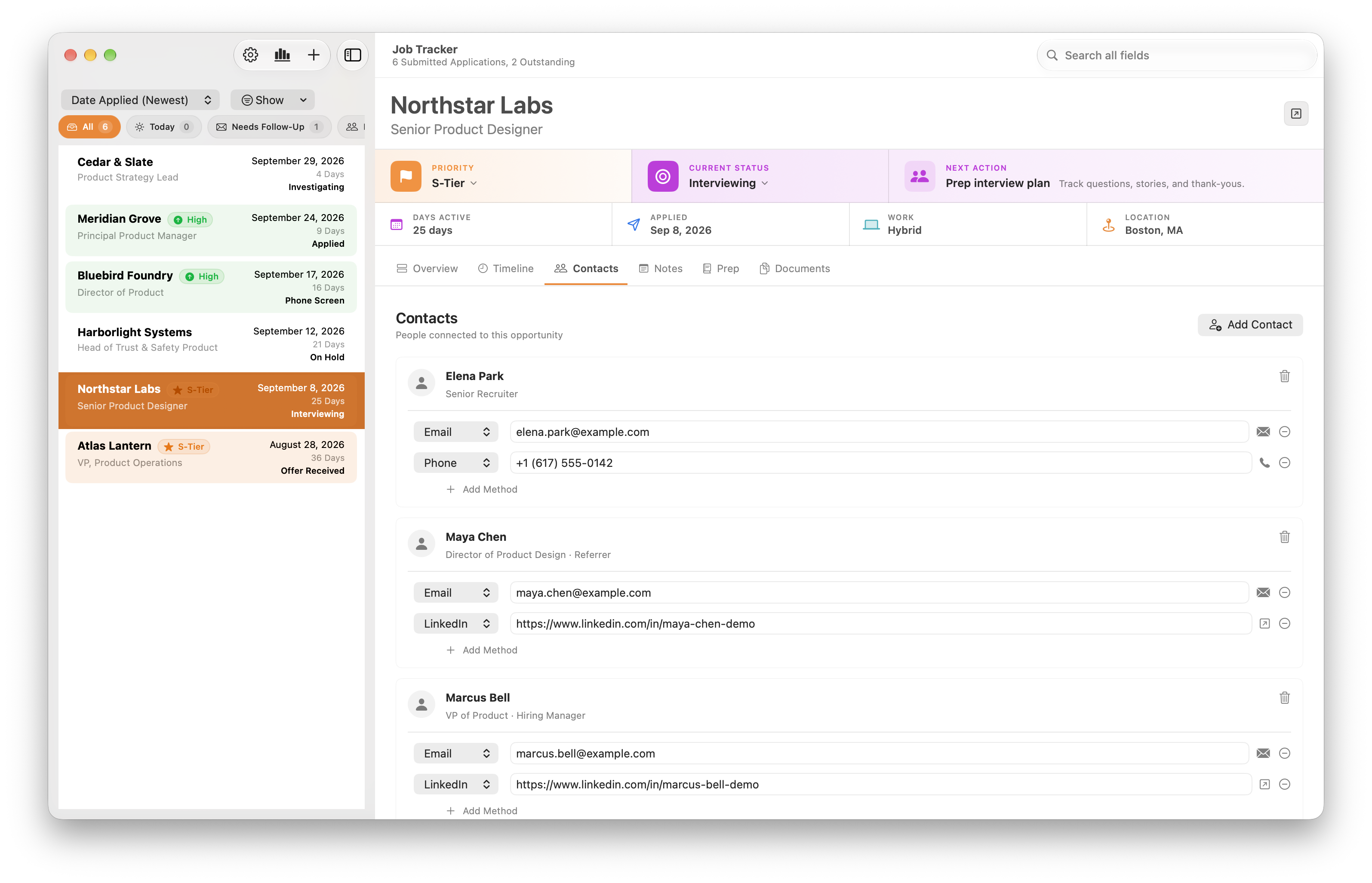
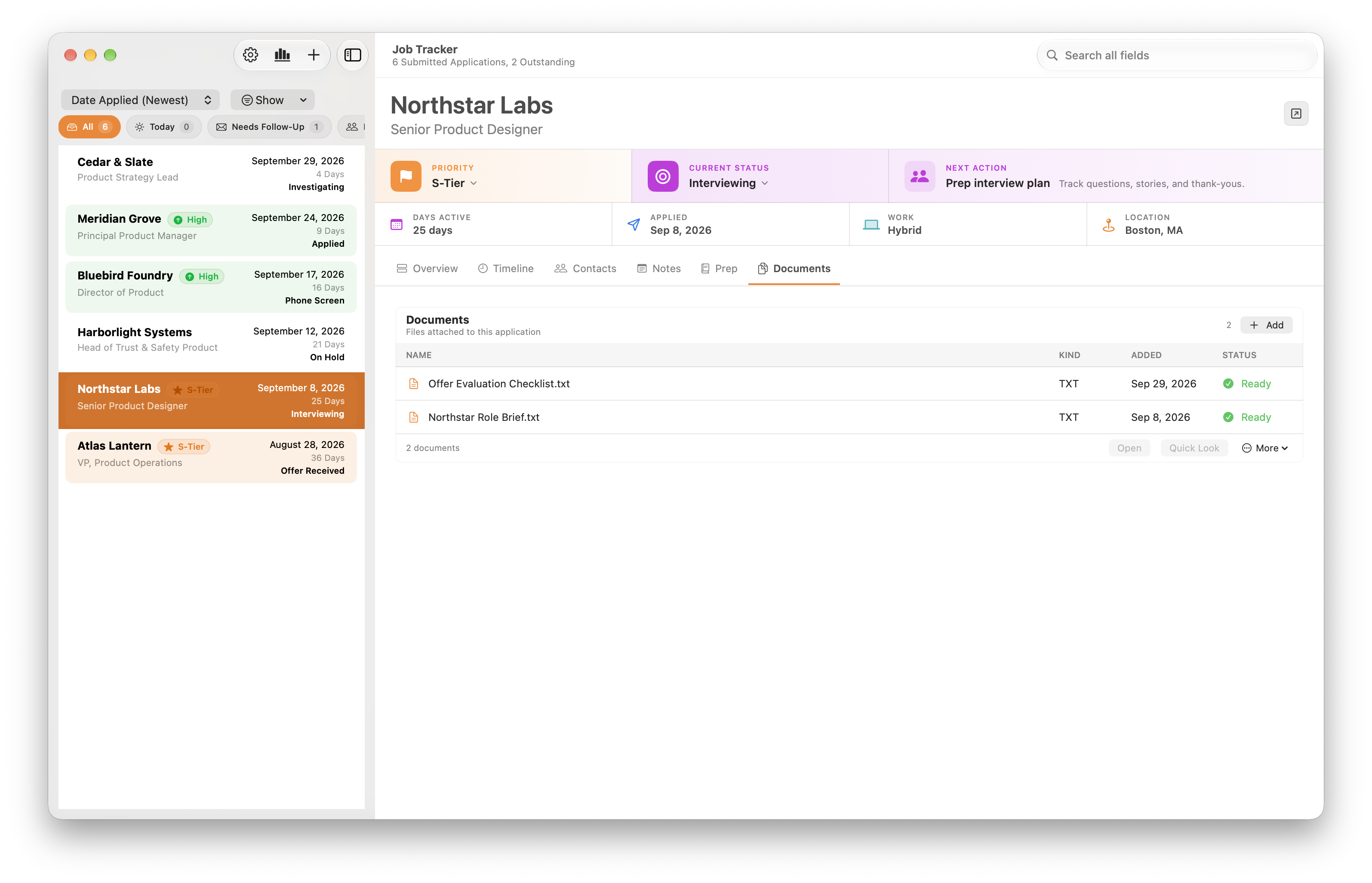
Contacts, documents, and notes
Recruiters, hiring managers, role briefs, document versions, and offer checklists stay attached to the application they belong to.
-
Your search, by the numbers
Statistics show how your search is going. Backups keep your history safe, and your data never leaves your Mac.
See how Job Tracker compares with a spreadsheet for tracking job applications on a Mac.
Questions, answered.
Something else on your mind? Ask on the support page and I’ll reply personally.
What is Job Tracker?
Job Tracker is a job application tracker for Mac. It keeps every application, contact, conversation, document, and interview prep note for your job search in one place, so you always know what to do next.
Is my job search data private?
Yes. Job Tracker stores your data on your Mac. It has no account, analytics, advertising, or tracking, and LittleApps4U cannot see what you enter. The privacy policy has the details.
Do I need to create an account?
No. Download Job Tracker from the Mac App Store and start adding applications right away. There is nothing to sign up for.
Can Job Tracker help me prepare for interviews?
Yes. Each role has space for your pitch, STAR stories, and questions to ask, next to the people you are meeting and the notes from earlier conversations.
How do I know which follow-ups are due?
Smart follow-up views show who you owe a reply today, and every application keeps a next action and a timeline of what has happened so far.
Does Job Tracker back up my data?
Yes. Job Tracker includes backups, so your job search history is safe on your Mac.
What do I need to run Job Tracker?
Job Tracker runs on Macs with macOS 26.5 or later. The app is in English.
How much does Job Tracker cost?
As of October 2026, Job Tracker is $4.99 USD, a one-time purchase on the Mac App Store. There is no subscription.
Why use Job Tracker instead of a spreadsheet?
A spreadsheet holds one row per job. Job Tracker gives each application its own timeline, contacts, documents, notes, and interview prep, and shows you which follow-ups are due without building filters by hand. Read the full comparison.